
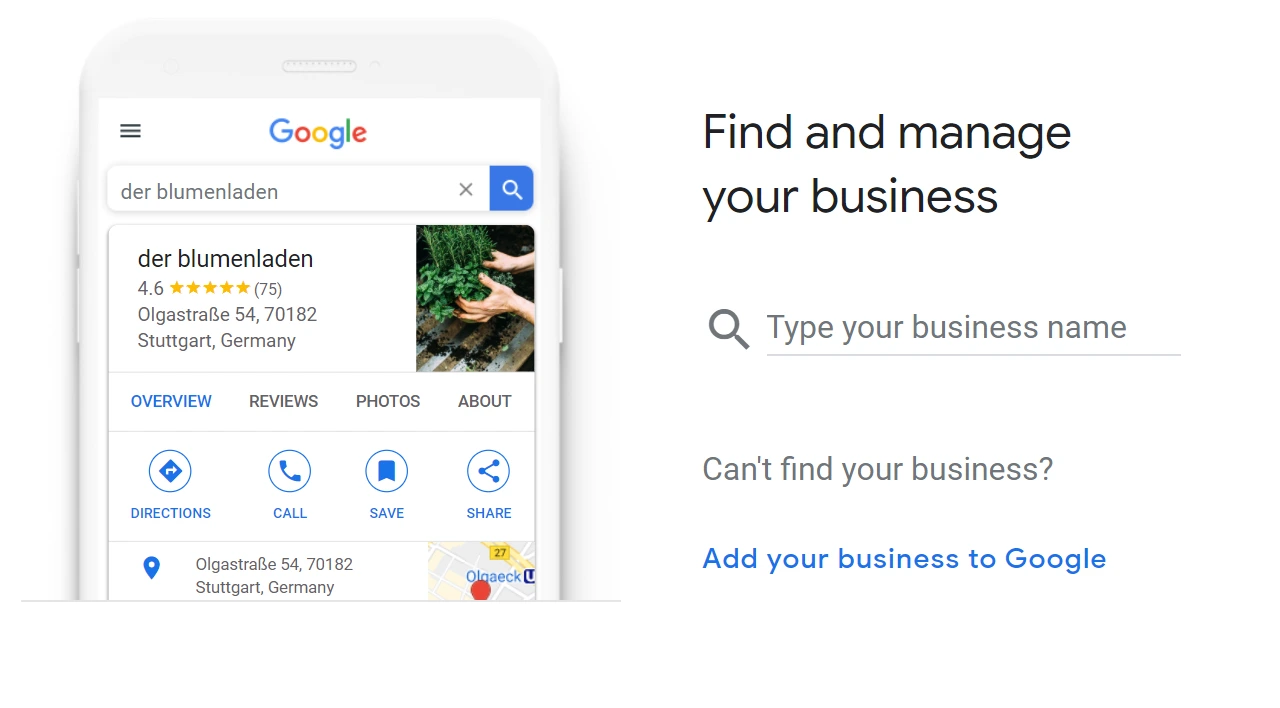
What Is Google Business Profile?
Google Business Profile (GBP) is a local SEO and business management tool that helps you control how your business appears across Google platforms. Through this profile, you can manage:
- Business name, address, and contact details
- Opening hours
- Photos and videos
- Product or service information
- Customer reviews and ratings
- Website and booking links
All this information appears in Google Search and Google Maps, helping your business look professional and trustworthy while improving your ranking in local searches.
Why Is a Google Business Profile Important?
Having an online presence is no longer optional — it’s a necessity. For small and medium-sized businesses (SMBs), a Google Business Profile acts as your digital storefront and helps you attract more customers both online and offline.
Key Benefits
| Benefit | Description |
|---|---|
| Higher Local Search Visibility | Appear in top results for searches in your area. |
| Increased Trust | Verified businesses look more credible to potential customers. |
| Map Integration | Customers can easily find your location and get directions. |
| Review Management | Engage with customer feedback to build a positive brand image. |
| Free Exposure | Showcase your business to millions of users without paying for ads. |
| Analytics Access | Track customer actions such as calls, clicks, and directions. |
How to Create a Google Business Profile (Step-by-Step)
1. Sign In with Your Google Account
To create a Google Business Profile, you must have a Google account.
If you don’t have one, create it at accounts.google.com.
2. Go to the Google Business Profile Page
Visit google.com/business and click on “Manage now” or “Add your business to Google.”
3. Enter Your Business Name
Type in your business name exactly as it appears on signage or branding.
If your business already exists in Google’s database, you’ll see a list of suggestions.
Select your business or choose “Create a new business.”
4. Choose the Right Business Category
Select a category that best describes your business type. For example:
- Restaurant
- Hair Salon
- Law Firm
- Web Design Agency
Your chosen category determines which search results your business appears in.
5. Add Your Business Location
If you have a physical address (like a store, clinic, or office), add it precisely and mark it on the map.
If you only offer services at customer locations, choose “I deliver goods and services to my customers” and specify your service areas.
6. Add Contact Information
Enter the details that help customers reach you easily:
- Phone number
- Website URL
- Email address (optional)
These details enhance both trust and your SEO ranking.
7. Verify Your Business
Google requires verification to confirm that the business belongs to you. The common methods include:
- Postcard verification (most common)
- Phone verification
- Email verification
- Search Console verification
Once you receive the code, log in to your profile and enter it. After verification, your profile becomes active.
8. Complete Your Profile
After verification, complete your profile with additional details:
- Opening and closing hours
- Logo and cover photo
- Business description (up to 750 characters)
- Products or services
- Photo and video gallery
The more complete your profile is, the higher your chances of attracting potential customers.
Tips to Optimize Your Google Business Profile
Creating your profile is only the first step — optimizing it is what drives real results. Follow these tips to make your profile stand out:
1. Keep Information Accurate and Consistent
Ensure your business name, address, and phone number (NAP) are identical across all online platforms — website, directories, and social media.
Google rewards consistency with better rankings.
2. Upload High-Quality Photos
- Add clear, well-lit images of your business exterior and interior.
- Upload professional product or service photos.
- Include a 360° virtual tour if available.
3. Manage Customer Reviews
Customer reviews are one of the strongest local SEO signals.
- Reply to positive reviews with gratitude.
- Address negative feedback politely and professionally.
- Active engagement shows reliability and builds customer trust.
4. Post Regular Updates
Google Business Profile allows you to post announcements, promotions, or news directly on your listing.
These updates appear in search results and make your profile look more active and engaging.
5. Use Insights and Analytics
From the Performance tab, you can view valuable statistics such as:
- Number of calls made from your listing
- Clicks to your website
- Requests for directions
Use these insights to refine your digital marketing strategy.
Common Mistakes to Avoid
| Mistake | Consequence |
|---|---|
| Choosing the wrong category | Your business appears in irrelevant searches |
| Inconsistent address | Verification may fail |
| Ignoring customer reviews | Loss of credibility |
| Missing contact details | Reduced customer engagement |
| Poor-quality photos | Unprofessional image |
SEO Importance of Google Business Profile
Google Business Profile is a cornerstone of Local SEO.
It helps your business appear in Maps, mobile, and voice searches, especially for “near me” queries (e.g., “restaurant near me” or “plumber near me”).
To Rank Higher in Local Search:
- Avoid keyword stuffing in your business name.
- Write a natural, descriptive business summary.
- Keep your information updated regularly (especially hours during holidays).
- Encourage satisfied customers to leave reviews.
A well-optimized profile can dramatically increase both foot traffic and website visits.
Conclusion: Take the First Step Toward Online Visibility
A Google Business Profile is one of the simplest yet most powerful tools for improving your business’s online visibility.
With a complete and verified profile, potential customers can find you faster, trust your brand more, and easily reach out.
Remember:
“A business that doesn’t appear on Google practically doesn’t exist online.”
Regularly updating and optimizing your Google Business Profile will strengthen your digital presence and help your business grow sustainably.